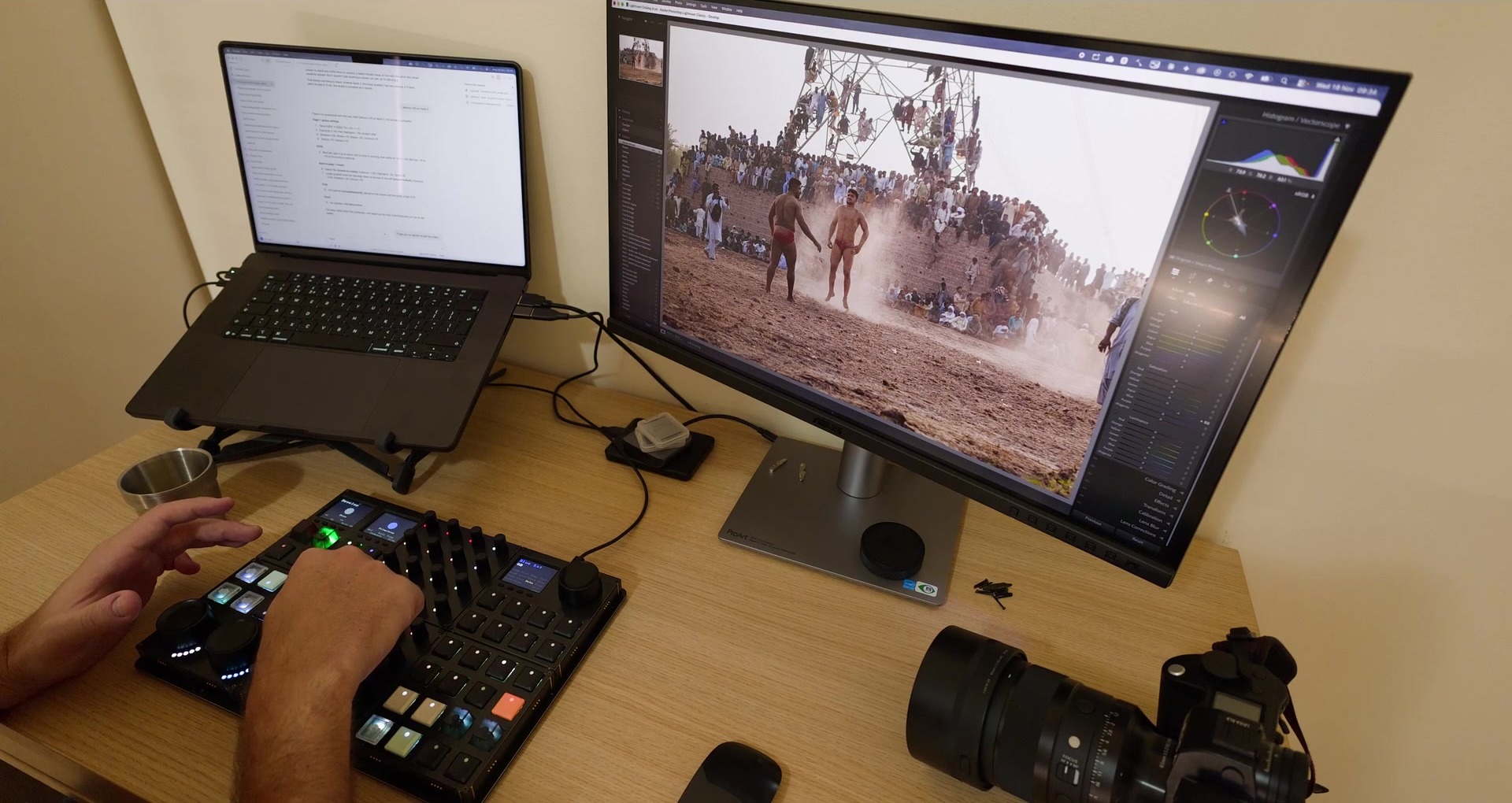
Over the last couple of months I’ve built a six-module Grid controller for Lightroom Classic. It’s now how I edit. The video shows a full edit, start to finish, with the mouse used only to draw two masks, set the crop, and drag one slider on purpose to show the board following.
Everything is on GitHub. Link below. That’s the Lightroom plugin fork, the Python that generates the Grid configs, my 16 profiles and the working notes.
What it does
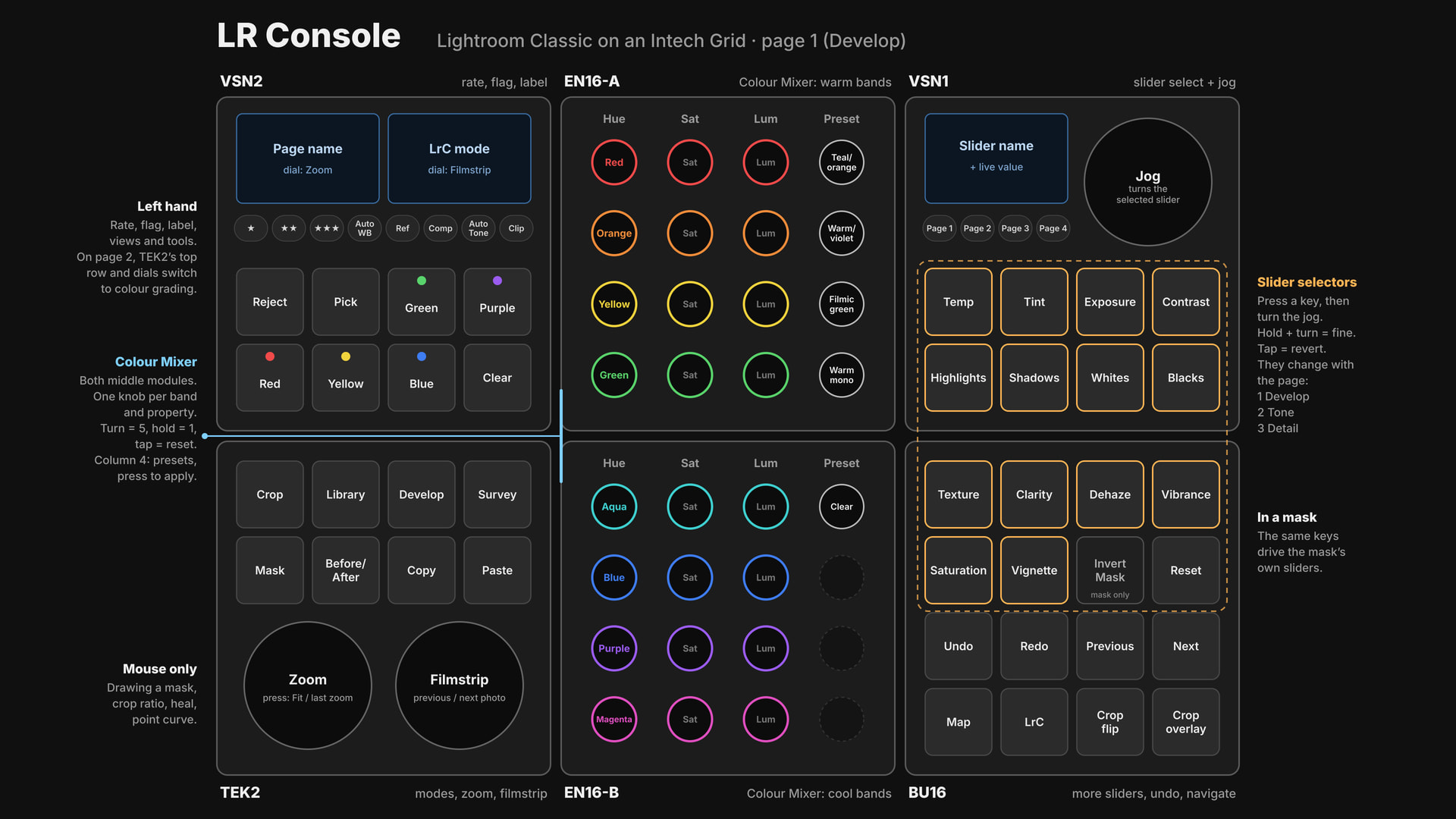
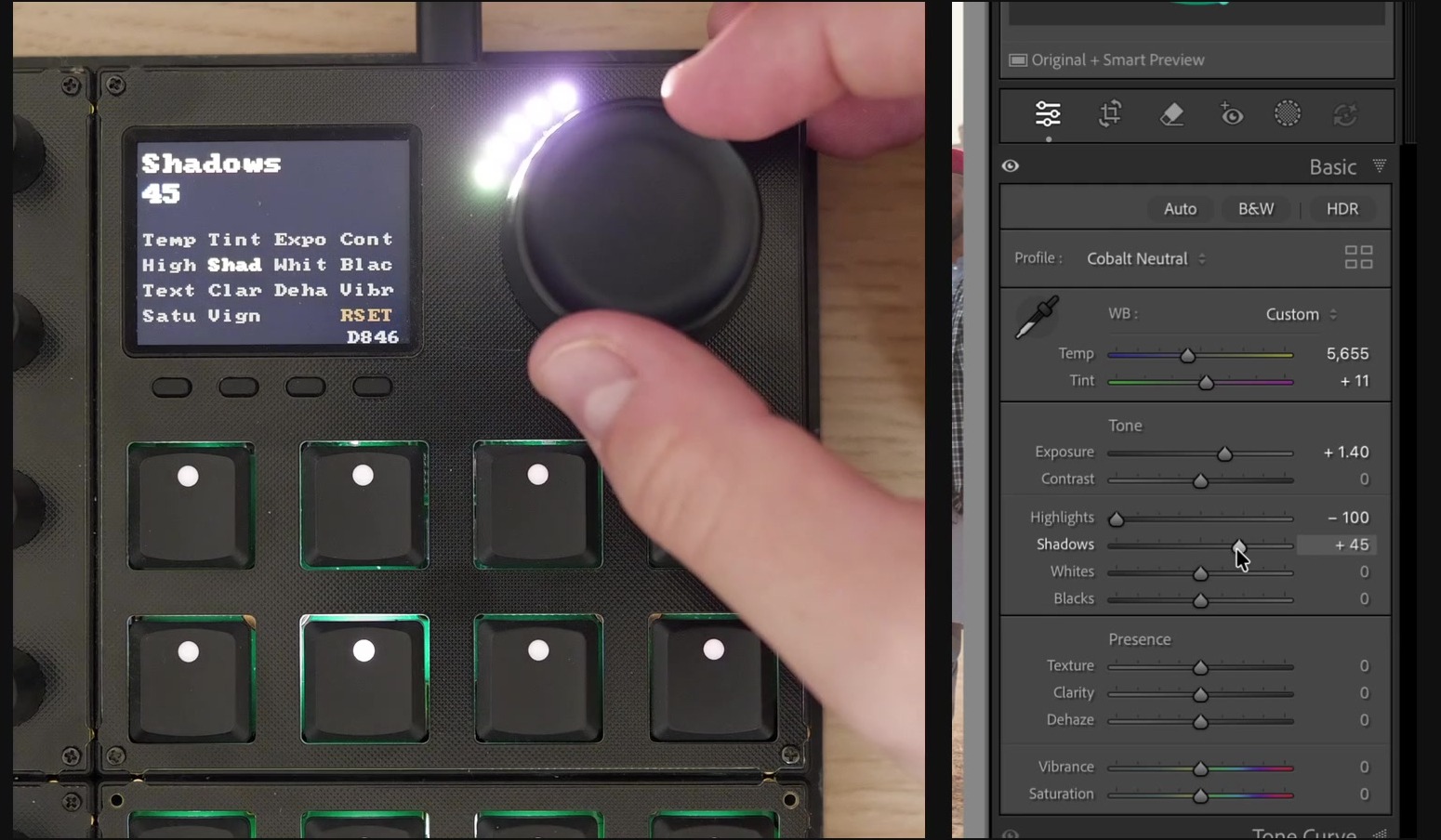
- One jog wheel drives whichever slider is selected. Turn for coarse, hold and turn for fine, tap to undo the turn, hold to reset.
- The board follows Lightroom, not just the other way round. Drag a slider with the mouse and the board selects it. Open a mask and the same keys drive the mask’s sliders. Enter Crop and the jog straightens. Label and flag keys light up when the photo carries that label or flag.
- The screen shows the real value from Lightroom, live.
- The Colour Mixer (all eight bands, H/S/L) is always on two EN16s, plus one-press split-tone presets.
- Culling, labels, views, Crop, Mask, Before/After, Copy/Paste and Undo/Redo are on fixed keys that never change with the page.
The AI part, up front. I designed the layout, assembled the hardware and tested every change on the board while editing real photos. Almost all of the code was written by Claude (Anthropic’s AI) in conversation with me. I didn’t write the Python. It was a genuine collaboration, and it was often wrong. The repo’s notes mark every claim as measured, read from source or assumed, because we learned not to trust anything that hadn’t been tested on the board. More on that below.
Most reusable part: the plugin fork. It works with any Grid layout and gives the board readback from Lightroom: values, current module and tool, label, flag, and slider follow.
Replies below cover:
- Why I built it, and how it came together
- How it works in use
- The code, the plugin fork, and what we learned about the Grid that isn’t in the docs